AI Automation
Top AI Automation Tools for Business Workflows
By Rana Sami Ullah • April 2026
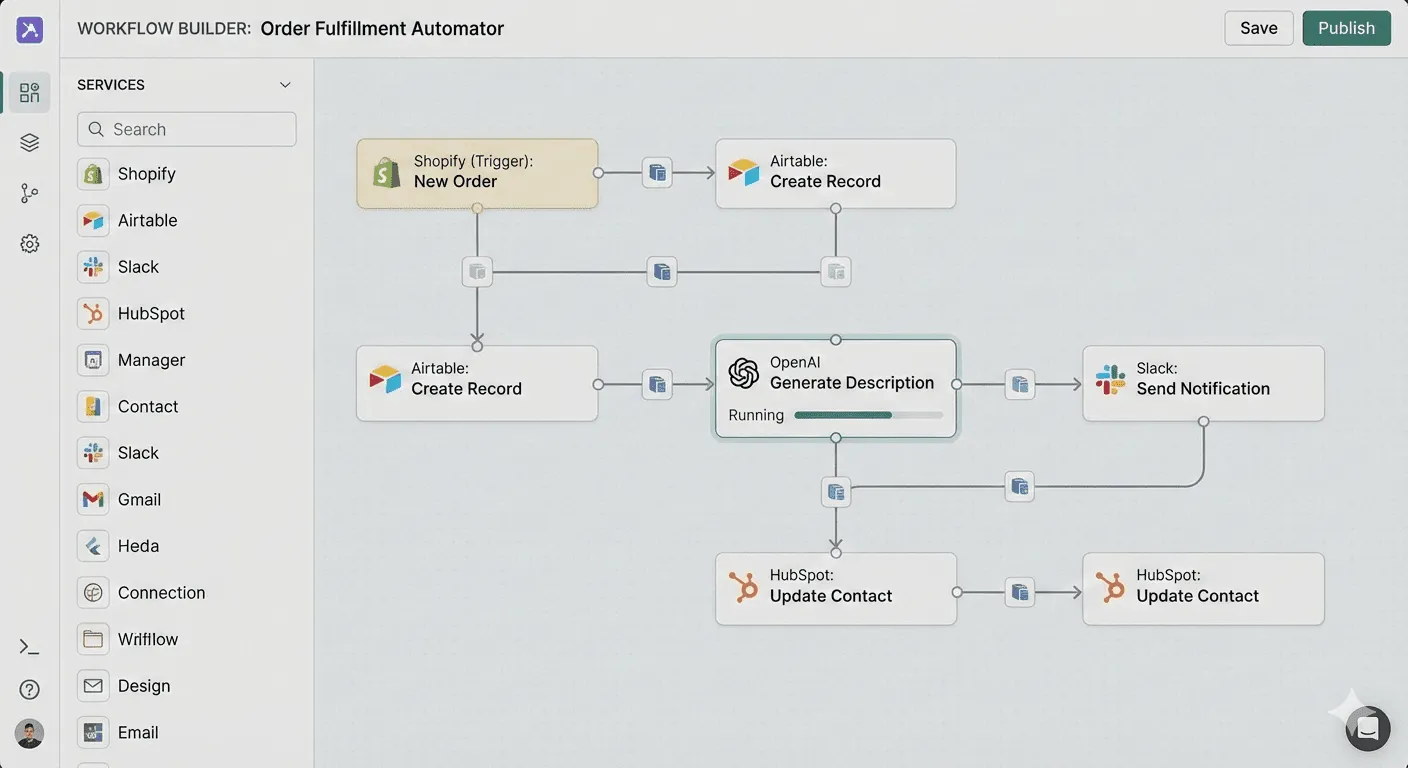
Manual administrative tasks cost modern businesses billions in lost productivity. In 2026, forward-thinking organizations are replacing repetitive manual inputs with automated workflows powered by artificial intelligence. But with dozens of tools available, from simple no-code platforms to sophisticated agentic orchestration frameworks, choosing the right stack is critical.
This guide compares the top AI automation tools for business workflows, scored against transparent criteria, with real implementation insights from our work building automation systems for enterprise clients.
Our Scoring Methodology
We evaluate each tool across five criteria that matter most for production business automation:
- Self-Hosting Option: Can you deploy the tool on your own infrastructure for full data sovereignty? Critical for enterprises handling sensitive customer or financial data.
- AI-Native Capabilities: Does the tool have built-in LLM integration nodes, or does it require custom development to connect AI models?
- Pricing Model: Does the tool charge per task/execution (which becomes expensive at scale), or does it offer fixed/unlimited pricing?
- Enterprise Readiness: Does the tool support RBAC, audit logging, SSO, and the security controls enterprises require?
- Developer Control: Can developers write custom code, build complex logic, and debug workflows at the code level?
Each criterion is scored 1-5. Here is how the leading tools compare.
1. n8n.io. Self-Hosted Workflow Automation
Our Top Recommendation for Enterprise Business Automation
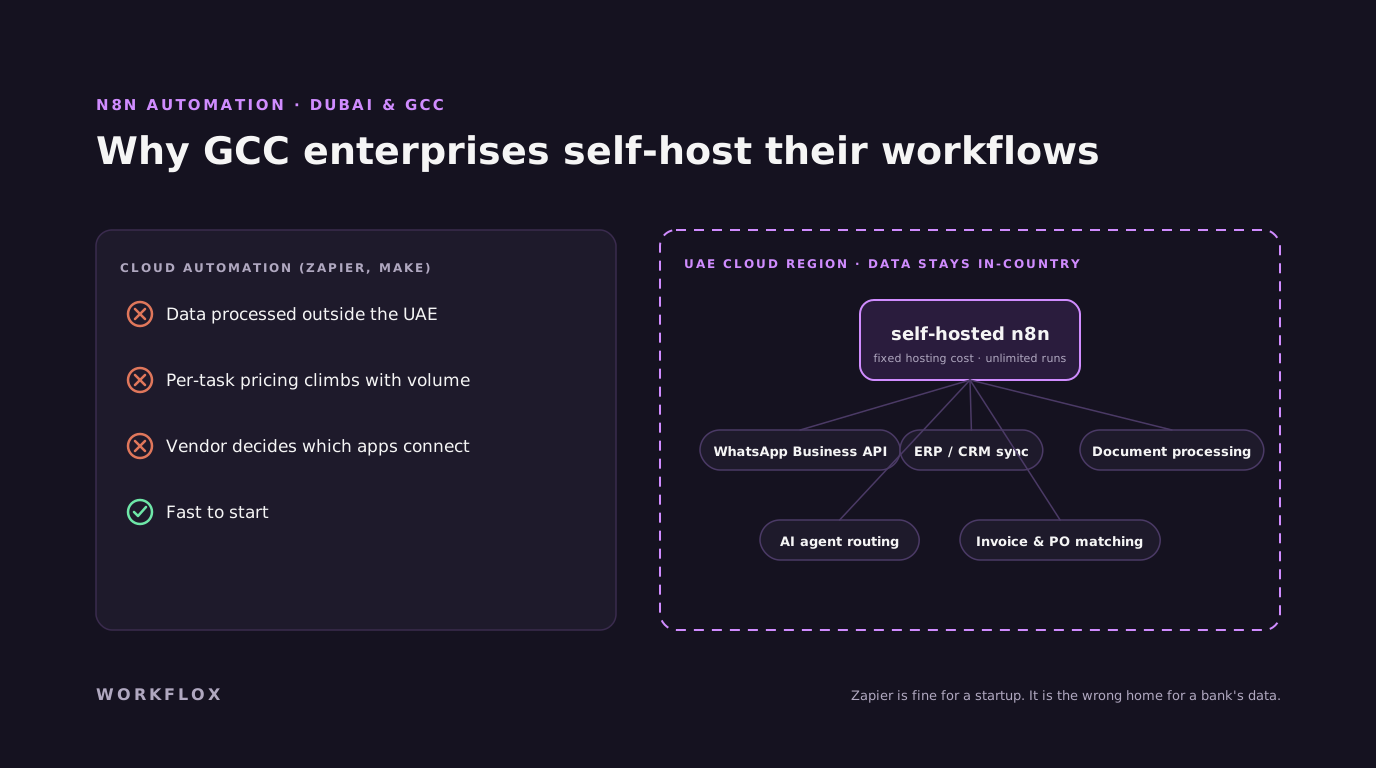
n8n is the definitive choice for businesses that need powerful automation without sacrificing data control. Unlike cloud-only alternatives, n8n can be self-hosted on your own AWS, Azure, or GCP infrastructure, meaning your business data never leaves your controlled environment.
Key strengths:
- Native AI Nodes: Inject LLM reasoning directly into your workflows. Connect GPT-6, Claude, or any OpenAI-compatible API as a native workflow step, no custom code required.
- No Per-Task Pricing: Whether you process 1,000 or 1,000,000 workflow executions, your cost is fixed to your hosting infrastructure.
- Visual + Code: Combine drag-and-drop visual workflow building with full JavaScript/Python code nodes for complex logic.
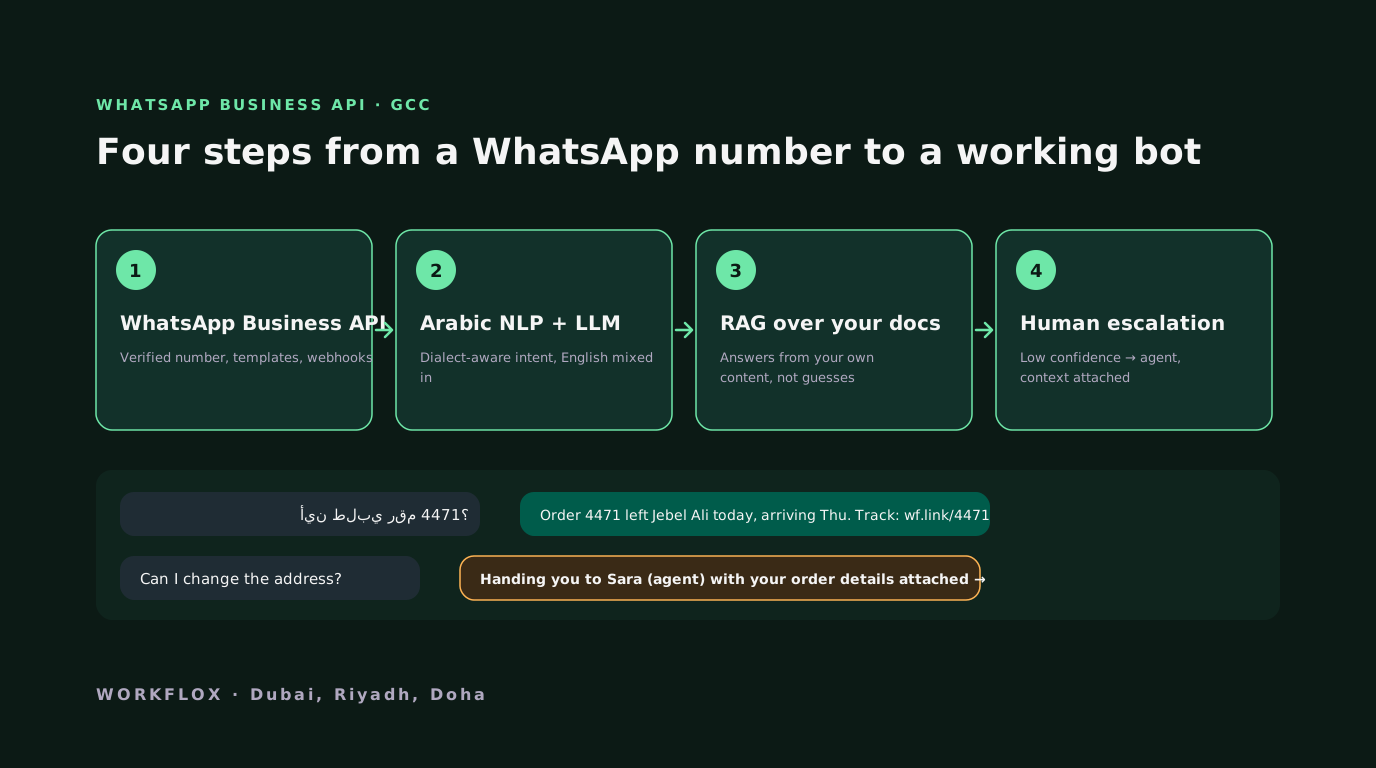
- 400+ Integrations: Native connectors for Salesforce, HubSpot, Slack, WhatsApp Business API, PostgreSQL, MongoDB, and hundreds more.
For a deep dive into how we deploy n8n for enterprise clients, read our guide on scaling Dubai enterprises with n8n automation and our analysis of why n8n is becoming essential for modern web and mobile apps.
Verdict: Best overall choice for enterprise AI automation. Self-hosting + AI-native + unlimited pricing = unmatched value.
2. LangChain and LangGraph. Agentic Orchestration
Best for Complex AI Decision-Making Workflows
For tasks that require multi-step reasoning, dynamic decision trees, and autonomous agent behavior, LangGraph (built on top of LangChain) is the leading framework. It allows developers to build agents that can call APIs, read files, query databases, make decisions based on intermediate results, and request human oversight when confidence is low.
Key strengths:
- State Machine Architecture: Define complex decision flows with branching logic, loops, and conditional execution paths.
- Multi-Model Support: Route different tasks to different AI models based on complexity, cost, and latency requirements.
- Human-in-the-Loop: Built-in checkpoints where agents pause and request human approval for high-risk decisions.
Verdict: Essential for agentic AI use cases. Best paired with n8n for trigger/scheduling and a production backend for deployment.
3. CrewAI. Multi-Agent Collaboration
Best for Multi-Agent Team Workflows
CrewAI enables you to define roles, goals, and tasks for multiple AI agents that collaborate on complex objectives. For example, one agent researches market data, a second drafts a competitive analysis, and a third reviews and formats the final output.
Key strengths:
- Role-Based Agent Definition: Assign specialized roles to each agent with clear task boundaries.
- Sequential and Parallel Execution: Agents can work in sequence (one hands off to the next) or in parallel (multiple agents working simultaneously).
- Tool Integration: Each agent can access different tools and data sources based on its role.
Verdict: Strong for content generation, research, and analysis workflows. Less suited for transactional business automation.
4. Zapier. No-Code Cloud Automation
Best for Simple, Low-Volume Automations
Zapier remains the easiest tool for connecting apps with zero coding. It excels when you need a quick integration (e.g., new form submission → Slack notification → Google Sheets logging) and volume is low.
Key limitations for enterprise use:
- Per-Task Pricing: Costs escalate quickly at scale. Processing 50,000 tasks per month can cost $600+/month.
- No Self-Hosting: All data flows through Zapier's cloud infrastructure. A compliance concern for enterprises handling sensitive data.
- Limited AI Integration: Basic AI actions exist, but lack the depth of n8n's native AI nodes.
Verdict: Great for small teams and simple workflows. Not suitable for enterprise-scale or data-sensitive automation.
5. Make (formerly Integromat). Visual Flow Automation
Best for Mid-Complexity Visual Workflows
Make offers more sophisticated visual workflow building than Zapier, with better branching logic and data transformation capabilities. It sits between Zapier's simplicity and n8n's power.
Key limitations:
- Cloud-Only: No self-hosting option. Data sovereignty concerns remain for regulated industries.
- Operation-Based Pricing: While more granular than Zapier's task pricing, costs still scale with volume.
- Limited AI-Native Features: Requires custom HTTP modules to connect AI models.
Verdict: Good mid-range option for marketing and operations teams. Less suitable for AI-heavy or enterprise-regulated workflows.
6. AutoGen (Microsoft). Research-Grade Multi-Agent Framework
Best for AI Research and Experimental Agent Systems
Microsoft's AutoGen framework enables sophisticated multi-agent conversations and collaborative problem-solving. It is powerful for research applications and experimental AI systems.
Key limitations:
- Not Production-Ready: AutoGen is designed for research and prototyping, not production business automation.
- Python-Only: Requires Python development expertise with no visual workflow builder.
- No Built-In Integrations: No native connectors for business tools, all integrations must be custom built.
Verdict: Excellent for AI research teams. Not recommended for production business workflow automation.
Comparison Table
| Tool | Self-Hosting | AI-Native | Pricing Model | Enterprise Ready | Dev Control | Overall |
|---|---|---|---|---|---|---|
| n8n | ★★★★★ | ★★★★★ | ★★★★★ (Fixed) | ★★★★☆ | ★★★★★ | 24/25 |
| LangGraph | ★★★★★ | ★★★★★ | ★★★★★ (Open Source) | ★★★☆☆ | ★★★★★ | 22/25 |
| CrewAI | ★★★★☆ | ★★★★☆ | ★★★★★ (Open Source) | ★★★☆☆ | ★★★★☆ | 20/25 |
| Zapier | ☆☆☆☆☆ | ★★☆☆☆ | ★★☆☆☆ (Per-Task) | ★★★☆☆ | ★☆☆☆☆ | 11/25 |
| Make | ☆☆☆☆☆ | ★★☆☆☆ | ★★★☆☆ (Per-Op) | ★★★☆☆ | ★★★☆☆ | 13/25 |
| AutoGen | ★★★★★ | ★★★★★ | ★★★★★ (Free) | ★☆☆☆☆ | ★★★★★ | 20/25 |
How WORKFLOX Implements These Tools for Clients
We do not just recommend tools. We build and deploy production automation systems using them. Here is how we combine these tools in real client engagements:
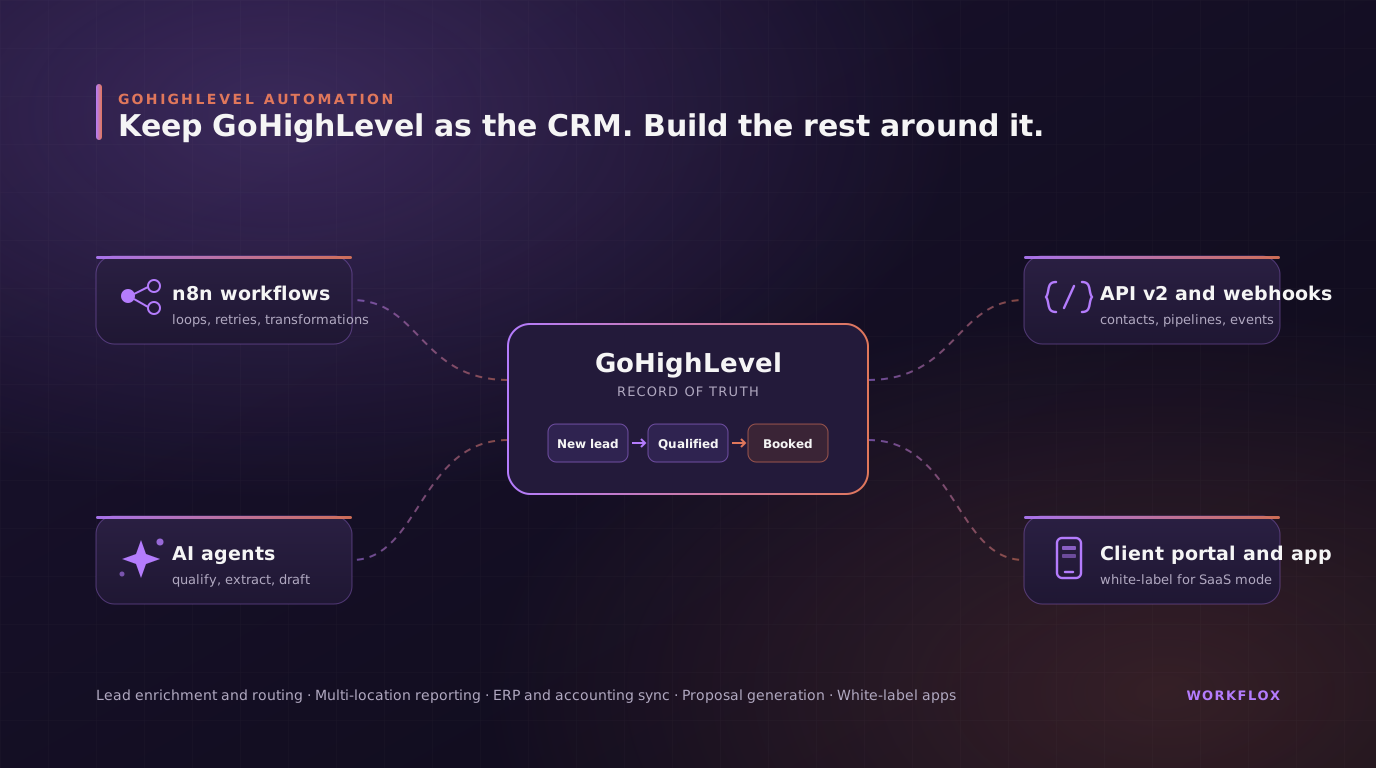
n8n + LangChain for CRM Automation: For a GCC real estate enterprise, we built an n8n-powered pipeline that captures leads from WhatsApp, web forms, and phone calls, enriches them via LinkedIn APIs, scores them using an LLM-powered analysis agent, and routes them to the right sales team member in Salesforce, all in under 3 seconds. This eliminated manual lead entry and reduced response times by 90%.
LangGraph for Document Intelligence: For a financial services client, we built an autonomous document processing agent using LangGraph that extracts data from uploaded PDFs, validates it against existing records, and generates structured outputs for underwriting teams. The agent handles 99.4% of documents without human intervention.
n8n + CrewAI for Content Operations: For a SaaS company, we deployed a multi-agent content pipeline where one agent researches topics from internal knowledge bases, a second drafts content in the brand's voice, and a third performs compliance and SEO checks before publishing.
To explore how we can automate your workflows, visit our AI app development services or our dedicated AI automation services page.
When to Use Each Tool. Decision Framework
Choosing the right tool depends on three factors: your data sensitivity requirements, your automation volume, and the complexity of the decisions your workflows need to make.
Use n8n when: You need enterprise-grade automation with data sovereignty, high-volume processing, and AI integration. This covers 80% of business automation use cases.
Add LangGraph when: Your workflows require multi-step reasoning, dynamic decision trees, or autonomous agent behavior that goes beyond simple if/then logic.
Add CrewAI when: You need multiple specialized agents collaborating on complex tasks like research, analysis, or content generation.
Use Zapier when: You need a quick, simple integration between two apps and volume is low (under 1,000 tasks/month).
Avoid AutoGen for production: It is a research framework, not a production automation tool.
Ready to automate your business workflows? Get a free consultation today.
Frequently Asked Questions
What is the best AI automation tool for enterprise use in 2026?
For enterprise use, n8n is our top recommendation. It can be self-hosted for full data sovereignty, has no per-task pricing limits, includes native AI nodes for LLM integration, and provides the code-level control that enterprise developers require. For complex agentic workflows, pair n8n with LangGraph for decision-making logic.
Should I use Zapier or n8n for business automation?
Zapier excels for simple, low-volume automations where setup speed matters most. For enterprise workflows handling sensitive data, high-volume processing, or requiring AI integration, n8n is superior. n8n offers self-hosting (data sovereignty), no per-task pricing, native AI nodes, and full code-level customization.
Can WORKFLOX help implement AI automation tools?
Yes. We design and deploy production-grade automation systems using n8n, LangChain, LangGraph, and custom AI agents. Our implementations include CRM synchronization, document processing, lead routing, and multi-agent orchestration for enterprise clients across the GCC, US, and UK.
How much does AI workflow automation cost?
Simple automations (5-10 workflows) typically cost $4,000-$10,000. Enterprise automation systems with AI integration, custom agents, and self-hosted infrastructure range from $10,000-$25,000+. We provide fixed-price proposals based on your specific workflow requirements.
Related services
Related Articles